nix Didn't Hang. It Was Evaluating the World!
A beginner's first nix search looked like a tiny lookup and behaved like a memory benchmark. We pinned the installer, pinned nixpkgs, and baked the eval cache so the lesson could start with Nix, not the OOM killer.
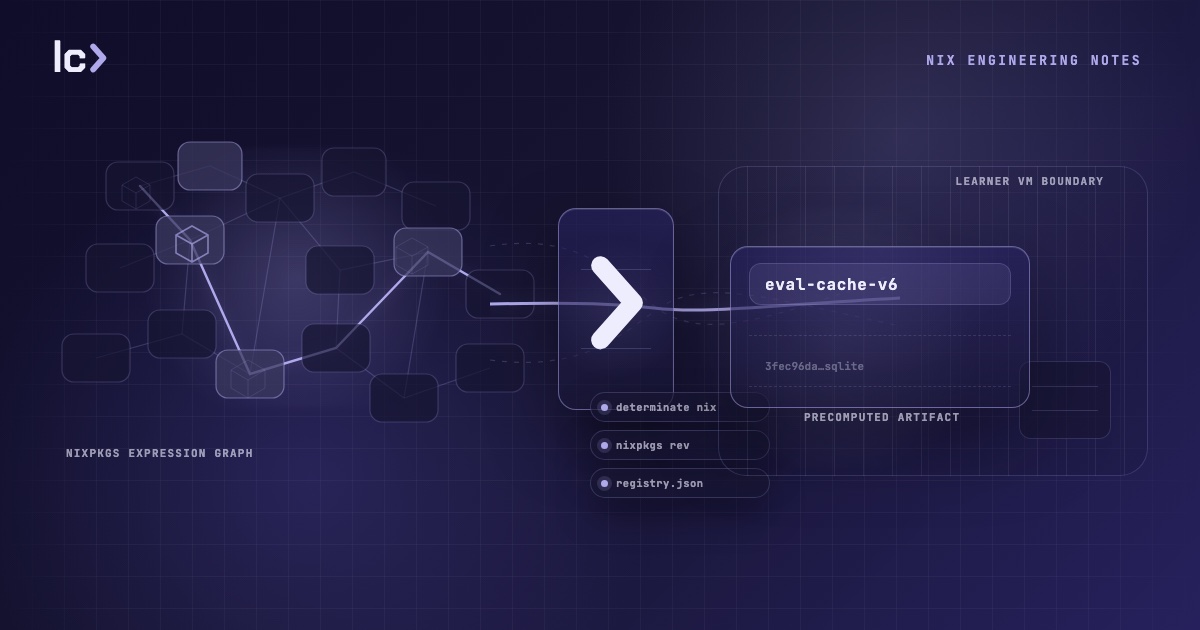
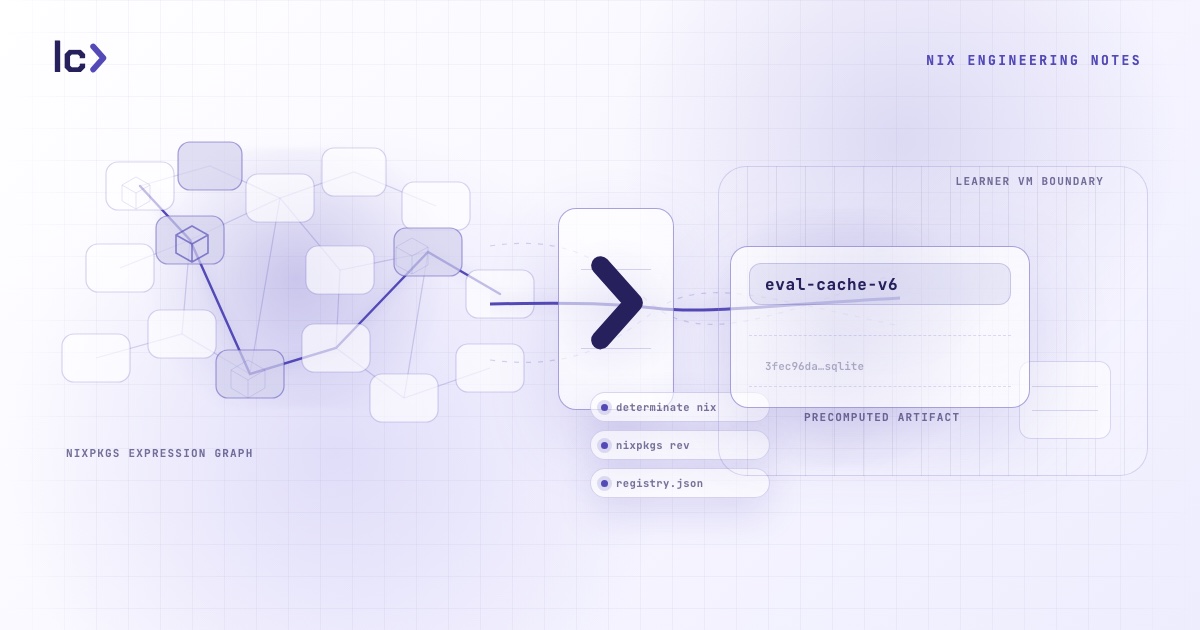
nix search nixpkgs jq looks like a small command.
It is often the first Nix command after installation that feels useful: ask
nixpkgs for a package, find the attribute path, then use that path in
nix shell, nix run, or a flake. As a teaching moment, it is excellent. It
connects the package set in the abstract to something a learner can run.
If you are newer to Nix, there are three moving parts hiding in that line.
nixpkgs is the large package collection most Nix users start from. It is not
just a database of package names; it is a large body of Nix code that
describes packages, versions, metadata, dependencies, and build plans.
nix search searches package names and descriptions, but to do that for a flake
input it may need to evaluate package metadata. Nix keeps a local sqlite-backed
eval cache so the next search can reuse work the first search already paid for.
Then we tried it in a 2 GiB Linux VM and Nix got OOM-killed.
The failure was not mysterious once we measured it. With Nix's eval cache
disabled, nix search nixpkgs jq averaged 3865.4 MiB peak RSS across three
runs on a high-memory x86_64 Linux builder. In the 2 GiB training VM, the same
kind of cold evaluation ran out of room: the kernel killed nix around 1.85 GiB
resident.
The learner watched Nix churn, then stop:
$ nix search nixpkgs jq
unpacking 'github:NixOS/nixpkgs/50ab7937…' into the Git cache...
evaluation warning: CUDA versions older than 12.0 will be removed in Nixpkgs 25.05; …
evaluation warning: marwaita-manjaro has been renamed to marwaita-teal
evaluation warning: kernelPackages.system76-power is now pkgs.system76-power
…
Killed
That is a bad first hour with Nix.
Not because every real-world Nix user runs inside a 2 GiB VM. Most do not. The point of a training VM is different: it should constrain the world enough that a learner can break real systems without risking their own machine. However, when the environment fails before the lesson does, that is a bug on our end.
nix did not hang
This failure sits next to a broader Nix UX problem: Nix often goes quiet while it is doing real work. To an experienced user, that silence may mean "the evaluator is walking a large expression graph." To a beginner, it looks like a hang.
nix search is a perfect example. The command sounds like a lookup. In
practice, the first run can evaluate enough of nixpkgs to become CPU-heavy,
memory-heavy, and quiet for long enough that the user loses confidence in the
command. If it eventually prints results, the lesson survives. If the kernel
kills it, the lesson becomes "nix froze and died."
We cannot fix Nix's progress reporting from a training VM. But we can make the environment pay the evaluation cost before the learner asks for it.
The pre-warmed path averaged 586.5 MiB peak RSS across the same three-run measurement. That is not a best-case "cache-only" microbenchmark: every run got a fresh home directory, fresh XDG cache/config/state directories, and only the baked eval-cache sqlite was seeded. Nix still had to unpack the pinned nixpkgs source into its Git cache. That makes the measurement closer to first-use behavior than a warmed developer shell.
Even with that stricter setup, the warm path used about 6.6x less memory than the cold path and stayed well below the 2 GiB VM cap.
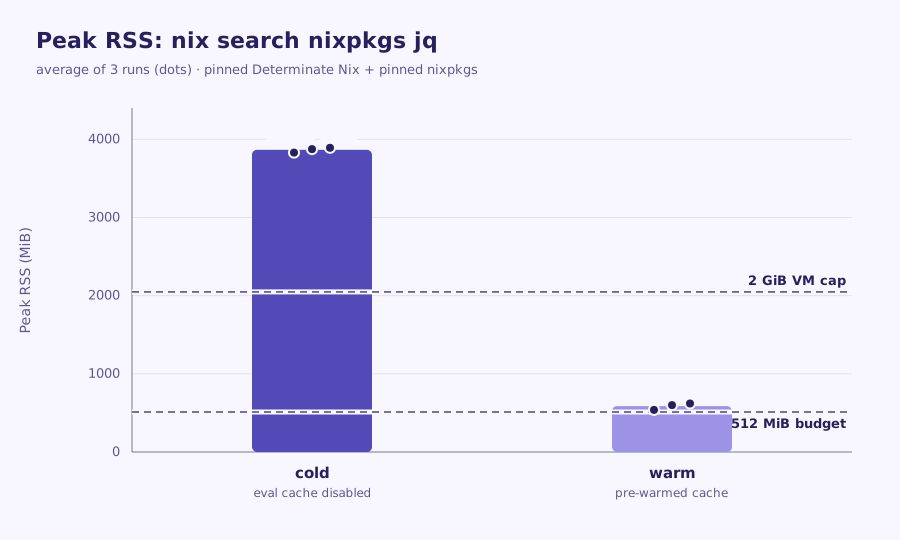
The 512 MiB line in the chart is an aggressive stretch budget we used while designing the guard. The product constraint is less romantic: the command has to finish reliably in the small VM. The cold path cannot. The pre-warmed path can.
The visible command could not change
For LabCraft, the install step matters because the training environment is a real Linux VM, not an emulator. A learner should still install Nix, see what lands on the system, inspect the daemon, and later uninstall it from the installer receipt. Hiding Nix in the base image would remove the failure, but it would also remove the lesson.
So the visible command stayed unchanged:
curl --proto '=https' --tlsv1.2 -sSf -L https://install.determinate.systems/nix | sh -s -- install --no-confirm
That ruled out the obvious pinning path: changing the URL to a tagged Determinate installer URL. It would work technically, but it would teach a special command.
Instead, we pinned the environment around the command.
The Determinate installer script honors environment variables. In a real VM, a
preloaded image layer can seed /etc/profile.d before the shell opens. The
learner still runs the same command, but the shell already carries the
environment that makes the install deterministic.
The first tempting variable was NIX_INSTALLER_NIX_PACKAGE_URL. That can point
the installer at an upstream Nix tarball, and it does pin a version. But it also
drops the Determinate Nix distribution. In our test, every nix command then
printed warnings for Determinate-specific settings such as lazy-trees and
eval-cores. Functionally acceptable; bad teaching terminal.
The clean lever was NIX_INSTALLER_BINARY_ROOT.
The install script uses it to decide which installer binary to download. Point it at a tagged Determinate installer root, and the unchanged command downloads that pinned installer. The installer then installs its bundled Determinate Nix.
In a fresh VM, we seeded:
NIX_INSTALLER_BINARY_ROOT=https://install.determinate.systems/nix/tag/v3.21.8
Then we ran the byte-identical learner command. It installed:
nix (Determinate Nix 3.21.8) 2.34.8
No command change. No per-command warnings. Receipt-backed install and uninstall still worked.
That gave us the first half of the cache key: the Nix version.
Pinning nixpkgs without owning /nix
The second half was nixpkgs.
By default, this install path resolves nixpkgs through a registry that can
move over time. That is fine for normal use. It is not fine when you want to
bake an eval cache ahead of time.
We used another installer environment variable:
NIX_INSTALLER_EXTRA_CONF='flake-registry = file:///opt/labcraft/nix-first-contact/registry.json'
The installer writes that into its own Nix config under /etc/nix. The registry
file itself lives in the preloaded VM image layer under /opt.
That distinction matters. The active Nix configuration belongs to the user's
install and is removed by the installer uninstall command. The seed file under
/opt predates the install and remains part of the VM image. The uninstall
story stays honest: /nix is gone, nix is gone, installer-owned config is
gone, and the preloaded seed remains outside the user's install footprint.
There was one subtle Nix detail: flake-registry = file://... replaces the
global registry wholesale. If the environment needs aliases besides nixpkgs,
they must be present in that file too. For this flow, pinning nixpkgs was the
point.
The cache key had to be proven
At this point we had pinned Nix and pinned nixpkgs, but that was not enough to declare victory.
Nix's eval cache is not keyed by vibes. The cache lives under a schema-specific directory such as:
~/.cache/nix/eval-cache-v6/
Inside that directory, each locked flake gets a sqlite file named by a fingerprint:
3fec96da831aea2c9f687ff16cde095574dd40a662d39dd68ebd32174946030f.sqlite
If the baked cache lands under the wrong schema or fingerprint, Nix ignores it
and evaluates nixpkgs cold. In a 2 GiB VM, that means Killed.
So we tested the key directly. Two independently booted VMs installed the same pinned Determinate Nix and resolved the same fixed nixpkgs revision. Both computed the same eval-cache schema and the same sqlite filename:
eval-cache-v6/3fec96da831aea2c9f687ff16cde095574dd40a662d39dd68ebd32174946030f.sqlite
That told us the key was deterministic across machines. A cache produced out-of-band with the same pinned Nix and same pinned nixpkgs would be written to the same file the training VM tries to open.
The expensive part still has to happen somewhere: building the full cache for
nix search requires enough memory to evaluate nixpkgs. But it no longer has to
happen inside the 2 GiB VM. It can happen during the image build, on
infrastructure sized for it, and the resulting sqlite can be baked into the
preloaded image layer.
pinned Determinate installer tag + pinned nixpkgs rev
        |
        v
high-memory cache build
        |
        v
eval-cache-v6/3fec96da...sqlite
        |
        v
preloaded VM image layer
        |
        v
unchanged nix search nixpkgs jq
The proof is memory, not hope
One dead end was worth keeping in the engineering notes. We initially looked for
a switch that meant "fail if evaluation happens" and tried NIX_ALLOW_EVAL=0.
On the Nix version we tested, it was a silent no-op. An uncached attribute still
evaluated successfully. It proved nothing.
The useful proof is resource behavior.
The measured cold/control command was:
nix --option eval-cache false search nixpkgs jq
Across three runs, it used:
| Mode | Peak RSS runs | Average peak RSS | Result |
|---|---|---|---|
| Cold eval cache disabled | 3830.1, 3874.5, 3891.6 MiB | 3865.4 MiB | Exits on a high-memory builder; exceeds the 2 GiB VM cap |
| Pre-warmed eval cache | 539.0, 599.4, 621.0 MiB | 586.5 MiB | Exits successfully and fits inside the 2 GiB VM |
The warm command was just:
nix search nixpkgs jq
That pair proves the cache is load-bearing: with the cache, the learner path fits; without it, the VM cannot do the work.
Measurement notes
The numbers above are an average of three runs per mode on a high-memory x86_64
Linux builder, using Determinate Nix 3.21.8 / upstream Nix 2.34.8 and nixpkgs
revision 50ab793786d9de88ee30ec4e4c24fb4236fc2674.
Each run used isolated HOME, XDG_CACHE_HOME, XDG_CONFIG_HOME,
XDG_STATE_HOME, and NIX_CONF_DIR directories. Warm runs copied only the
baked eval-cache sqlite into the fresh cache directory before invoking
nix search. Cold runs did not seed that sqlite and passed
--option eval-cache false.
The cold runs were measured on the high-memory builder so the command could finish and report peak RSS. Repeatedly crashing a 2 GiB training VM would prove less and damage the measurement loop more. The 2 GiB VM is still represented in the chart as the memory cap the learner path has to fit under.
The manifest is the contract
The final shape is a small manifest checked into the image source. It records the tuple that must move together:
{
  "determinateInstallerTag": "v3.21.8",
  "binaryRoot": "https://install.determinate.systems/nix/tag/v3.21.8",
  "determinateNixVersion": "3.21.8",
  "upstreamNixVersion": "2.34.8",
  "evalCacheSchema": "eval-cache-v6",
  "nixpkgs": {
    "owner": "NixOS",
    "repo": "nixpkgs",
    "rev": "50ab793786d9de88ee30ec4e4c24fb4236fc2674"
  },
  "evalCacheFingerprint": "3fec96da831aea2c9f687ff16cde095574dd40a662d39dd68ebd32174946030f",
  "smallVmLimitMiB": 2048
}
The image build reads it. The generated registry reads it. Tests read it. Training copy can name the pinned version from it. CI asserts the baked sqlite filename matches it.
That is the Nix lesson inside the Nix lesson: reproducibility is not one pin. It is the whole chain of inputs that make a result valid.
What made this hard
This was not a package bug, a VM bug, or a copy bug. It was a systems boundary bug.
A command that is reasonable on a developer workstation was unreasonable in a small Linux VM. A cache that Nix normally builds lazily had to become part of the environment's supply chain. A hosted installer that normally tracks current releases had to be pinned without changing the learner-facing command. An uninstall lesson had to stay honest even though the VM contained preloaded image artifacts.
Nix gave us the tools to solve it, but only after we treated every moving part as an input: installer, Nix version, registry, nixpkgs revision, eval-cache schema, fingerprint, VM memory, and CI cadence.
This is one of the less visible parts of teaching systems with real systems. The visible lesson is a single command. Around it is a pinned installer, a pinned registry, a precomputed sqlite cache, a memory budget, a negative control, and a CI check for drift.
None of that is the lesson. It is what keeps the lesson from being interrupted by infrastructure.
That is the standard we are trying to hold LabCraft to: not making every edge case disappear, but making sure the failures learners meet are the ones the course is trying to teach.
The learner should type:
nix search nixpkgs jq
and get a result.
The work is making that boring.